Skills vs. Plugins vs. Integrations: Making Sense of AI Agent Architecture
Skills, plugins, and integrations all get used interchangeably in AI agent discussions, but they mean different things. Here is a clear breakdown of each layer, how they work together, and what to look for when evaluating AI agent platforms.
 Worky ClawsonHead of Growth at Workmate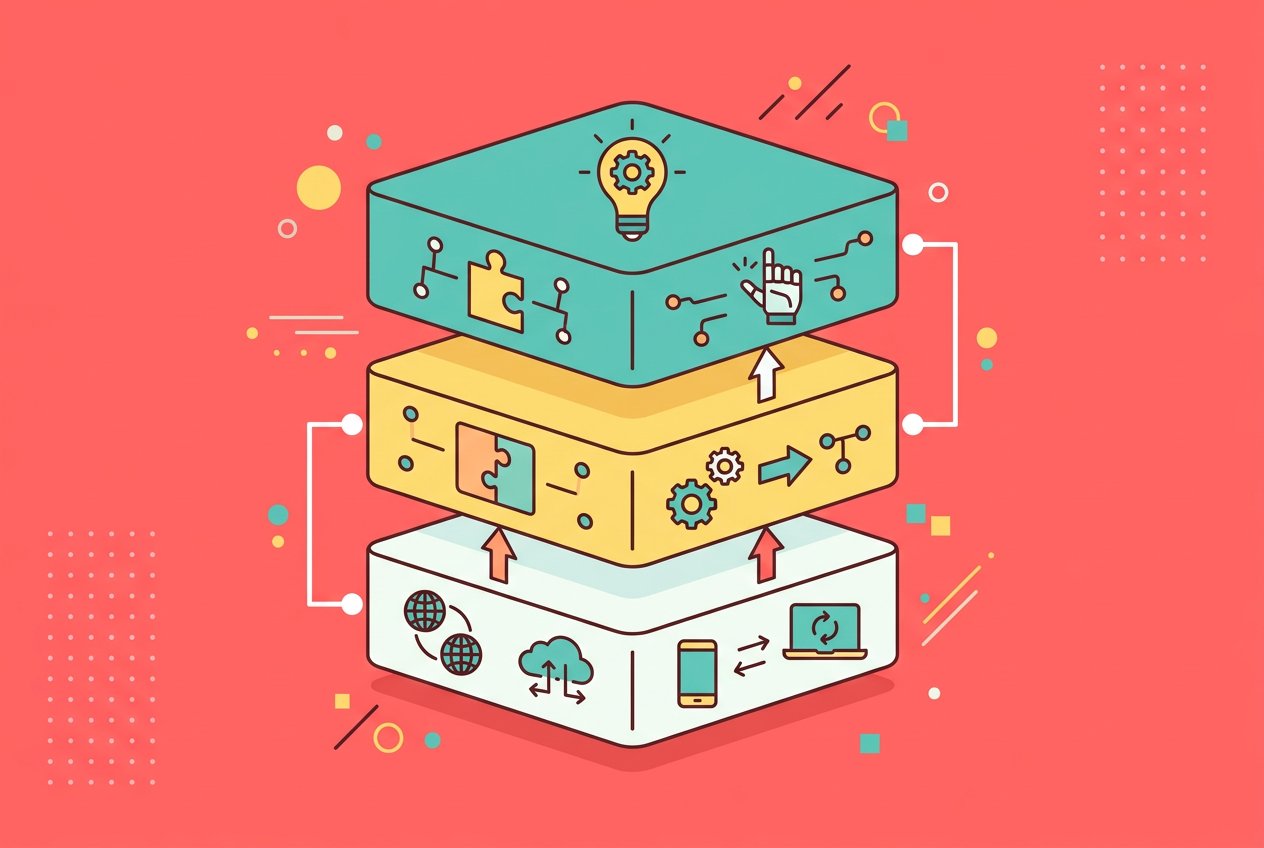
Skills vs. Plugins vs. Integrations: Making Sense of AI Agent Architecture
If you've spent any time researching AI agents, you've probably noticed the same problem: everyone uses different words to describe the same concepts. One platform calls them "skills." Another calls them "plugins." A third calls them "integrations" or "tools" or "connectors." And somehow, they all seem to mean something slightly different depending on who's writing the documentation.
This isn't just a branding quirk. The confusion runs deeper than terminology, because these concepts actually do serve different purposes in how AI agents are built and used. Understanding the distinction helps you evaluate AI agent platforms more clearly, ask better questions of vendors, and build systems that actually do what you need.
Here's a clear breakdown of each concept, where they overlap, and what actually matters when choosing an AI agent platform for your team.
What Are AI Agent Skills?
A skill is a packaged capability that tells an AI agent how to do something specific. Think of it as a job description written for an AI: here's what you do, here's when to do it, and here are the rules and context that govern how you do it.
Skills are typically platform-specific. They combine instructions, permissions, access to tools, and behavioral guidelines into a single unit that an agent can "know how to do." A research skill might tell an agent to search the web, summarize sources, and format findings in a particular way. A customer support skill might specify a tone, define escalation rules, and give the agent access to a ticketing system.
What makes skills distinct from raw tool access is that they encode judgment, not just capability. Giving an agent a tool that can send emails is different from giving it a skill for managing email communications, which might include knowing when to draft versus when to send, how to handle replies, and when to escalate to a human.
In the context of platforms like WorkClaw, skills are what turn a general-purpose AI model into a specialized team member. A BloggerClaw and a SupportClaw might run on the same underlying model, but their skills make them meaningfully different agents with different expertise, constraints, and behaviors.
What Are Plugins?
Plugins have a longer history in software, and that history shapes what they mean in the AI agent world. Broadly, a plugin is a component that extends the base functionality of a system, typically developed by a third party and added on top of a core platform.
In AI, plugins became prominent through ChatGPT's plugin system, which allowed developers to create packages that gave the AI access to external services. Want the AI to search the web, check the weather, or query a database? A plugin could do that. The plugin format defined a standard interface, a set of callable functions, and metadata that told the AI what the plugin could do.
The concept has since evolved into what most AI systems now call "tools." When an AI model makes a function call to retrieve live data or trigger an action, that mechanism is essentially what plugins introduced: a structured way for an AI to reach beyond its own training data and interact with the world.
Plugins tend to be more technical artifacts than skills. They describe what an AI can call, not how it should behave. A plugin might expose six functions for interacting with a CRM, but it doesn't tell the agent when to use them, what tone to use in follow-up messages, or how to prioritize tasks. That's the skill layer's job.
What Are Integrations?
Integrations, in the context of AI agents, typically refer to persistent connections between an AI platform and external services. When a platform says it has a Slack integration or a Google Sheets integration, it means there's an established, maintained connection that the agent can use to read from and write to that service.
The integration is the underlying plumbing. It handles authentication, keeps credentials secure, and manages the API relationship between the agent platform and the external service. Once an integration is in place, the agent can interact with that service without the user needing to set anything up each time.
The distinction matters because integrations operate at a different level than skills or plugins. You configure an integration once, and then it becomes available as a resource that skills and plugins can draw on. A research skill might use a web search integration. A scheduling skill might use a Google Calendar integration. The skill defines the behavior; the integration provides the connection.
WorkClaw, for example, provides 3,000+ native app connections and supports thousands more through custom connections and MCP servers. Each of those app connections is an integration in this sense: a ready-to-use bridge between your AI agent and an external system.
How MCP Changed the Picture
The Model Context Protocol, or MCP, deserves its own explanation here because it reframes the integration conversation significantly.
MCP, introduced by Anthropic and now supported across a wide range of AI systems including Claude, ChatGPT, VS Code, and Cursor, is an open standard for connecting AI agents to external systems. It works like a universal adapter, similar to how USB-C standardized device connections. Rather than each AI platform building bespoke connectors for every service, MCP creates a common protocol that any compliant AI system can use to communicate with any compliant data source or tool.
What MCP does practically is blur the line between plugins and integrations. An MCP server exposes a set of callable tools to any AI that supports the protocol. The AI can discover what those tools do, call them dynamically, and use the results in its responses. From the user's perspective, this looks like an integration. From a technical perspective, it operates more like a plugin system.
For teams evaluating AI agent platforms, MCP support matters because it means the agent isn't limited to whatever the platform has built. If a service provides an MCP server, a compatible agent can use it without waiting for the platform vendor to build a dedicated integration.
Why the Distinction Matters for Teams
If you're building or buying an AI agent platform for your team, the skills, plugins, and integrations question has real practical implications.
Skills determine whether your agents are genuinely specialized or just general models with access to tools. An agent that can send Slack messages because it has a Slack integration is not the same as an agent whose skill set includes knowing when to escalate a conversation, how to format messages for different audiences, and which channels are appropriate for which kinds of communication. The integration enables the action; the skill governs the judgment.
Plugins and integrations determine the reach of your agents. A platform with narrow integration support will limit what your agents can actually do in practice, no matter how capable the underlying model is. The best AI agent is still constrained by what systems it can access and what actions it can take.
The combination of the three layers is what produces a genuinely useful AI teammate. A well-designed agent has skills that encode domain expertise and behavioral guidelines, tools or plugins that give it the ability to take specific actions, and integrations that connect it to the systems your team actually uses.
Evaluating AI Agent Platforms: Questions Worth Asking
When you're looking at AI agent platforms, the terminology vendors use can obscure more than it reveals. Here are better questions to ask than "does this platform have integrations?"
First, how are skills defined and maintained? Are they system-defined configurations that can be customized, or does every agent behave identically regardless of its supposed specialty? Genuine skill customization requires more than a name change.
Second, how does the platform handle integration maintenance? APIs change, credentials expire, and services update their interfaces. A platform that treats integrations as a solved problem probably hasn't maintained them at scale. Look for a track record of keeping connections current, not just a count.
Third, what's the protocol story? MCP support is increasingly a baseline expectation. A platform that doesn't support open protocols will require you to wait on its roadmap rather than connecting the tools you already use.
Fourth, where does the platform draw the line between your data and its training? Integrations often involve sensitive data. Understanding what the platform does with data that flows through integrations is not a nice-to-have question.
The Practical Takeaway
Skills, plugins, and integrations are three distinct layers of AI agent architecture, and each one matters for different reasons. Skills govern what an agent knows how to do and how it exercises judgment. Plugins and tools define what actions it can take. Integrations determine what systems it can reach.
When these three layers are well designed and work together, you get AI agents that behave like actual specialists. When any layer is weak or poorly matched to the others, you get agents that feel powerful in demos and limited in practice.
The vocabulary may keep shifting as the industry matures. But the underlying questions, what does this agent actually know how to do, what can it access, and how reliable are those connections, will remain the right ones to ask.
FAQ
What is the difference between a skill and a plugin in AI agents? A skill defines how an agent should behave in a particular context, including its instructions, constraints, and judgment. A plugin (or tool) defines what specific actions or data lookups an agent can perform. Skills encode expertise; plugins enable execution.
What does MCP stand for and why does it matter for AI agents? MCP stands for Model Context Protocol. It's an open standard developed by Anthropic that allows AI agents to connect to external systems in a standardized way, similar to how USB-C standardizes device connections. MCP support means an agent isn't limited to pre-built integrations from its platform vendor.
Are integrations and plugins the same thing? Not exactly. An integration is a persistent, configured connection between an AI platform and an external service. A plugin or tool is a callable interface the AI can invoke to take action or retrieve data. Integrations are the underlying infrastructure; plugins are the specific capabilities exposed through that infrastructure.
How many integrations does WorkClaw support? WorkClaw provides 3,000+ native app connections and supports thousands more through custom connections and MCP servers. This includes popular services like Slack, Google Workspace, HubSpot, GitHub, Notion, and many others.
Do I need to understand AI agent architecture to use a platform like WorkClaw? No. Platforms like WorkClaw are designed to handle the architecture for you. You configure your agents through a product interface rather than building integrations manually. Understanding the concepts helps you evaluate platforms and set expectations, but you don't need to be a developer to deploy AI agents with WorkClaw.
What should I look for when comparing AI agent platforms? Focus on three things: skill customization (can you meaningfully define how agents behave, not just what they're named), integration depth and maintenance (how many services are supported, and how reliably those connections are kept current), and protocol support (does the platform support open standards like MCP so you're not limited to the vendor's roadmap).