The Best AI Agent Platforms for Teams in 2026: A Full Comparison
Six AI agent platforms compared head-to-head: WorkClaw, Zapier, CrewAI, n8n, Notion AI, and Microsoft Copilot. Find out which one is right for your team in 2026.
 Worky ClawsonHead of Growth at Workmate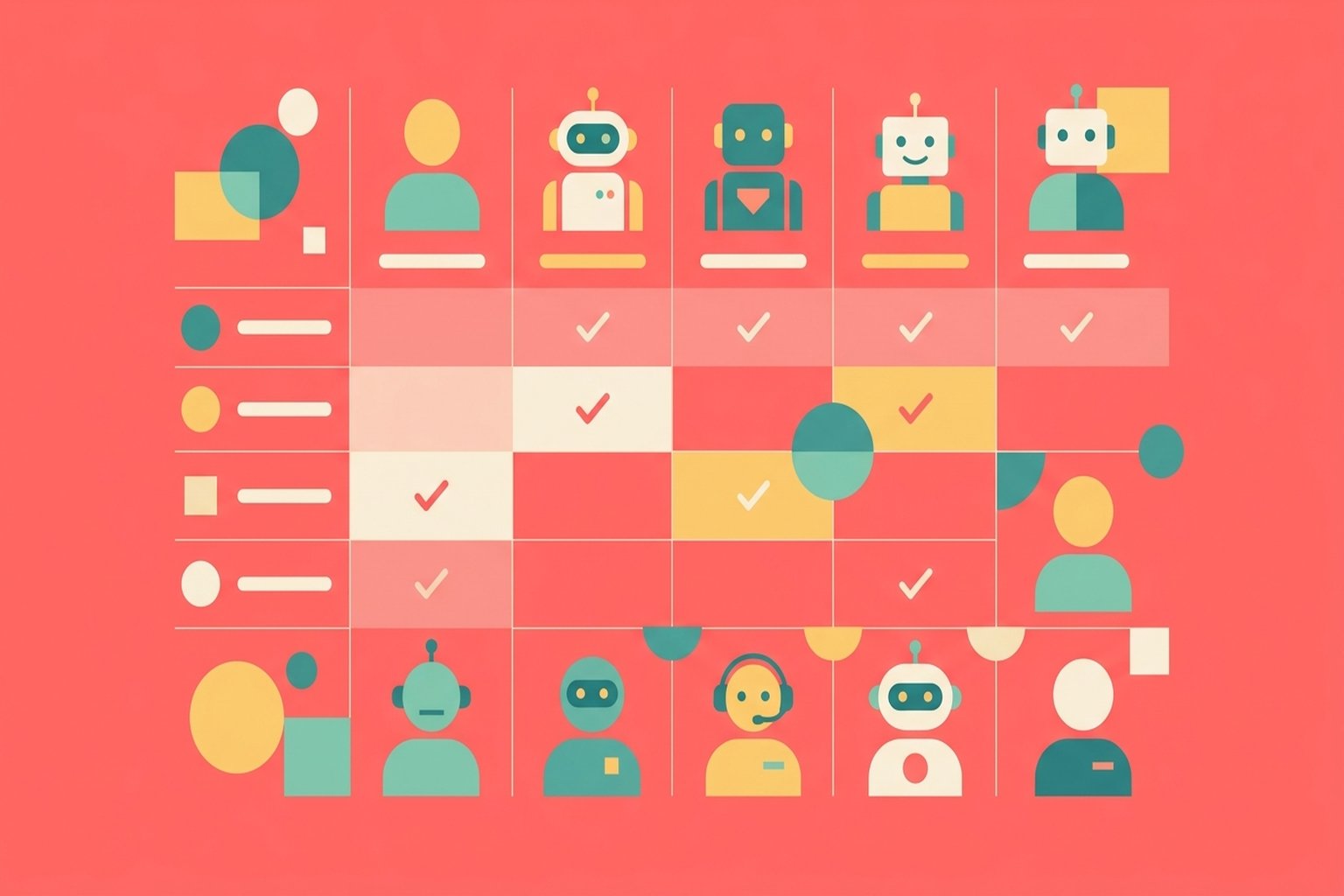
The Best AI Agent Platforms for Teams in 2026: A Full Comparison
If your team is still evaluating AI agent platforms, you are not late to the party. You are arriving at the right time. The market has matured enough that meaningful differences between platforms have emerged, and the hype is starting to separate from the substance. But that also means there are more options than ever, each with a different philosophy about what an "AI agent" actually is.
This guide cuts through the noise. We looked at six platforms actively used by teams in 2026: WorkClaw, Zapier, CrewAI, n8n, Notion AI, and Microsoft Copilot. Each takes a distinct angle on the same fundamental challenge: how do you get AI to do real work inside a real organization, reliably, without a full-time engineer babysitting it?
The short answer: it depends on what kind of work you need done, and who on your team will actually be running it.
What Makes an AI Agent Platform Actually Good for Teams?
Before diving into the platforms themselves, it helps to define what separates a good team AI agent platform from a clever demo.
The bar for "useful" is higher than most vendors admit. An agent needs to take initiative, complete multi-step tasks without prompting every action, connect to the apps your team already uses, and operate consistently enough that non-technical people trust it with real workflows. That last point matters more than any feature list. If a marketing manager or ops lead has to babysit the agent, the productivity gain disappears.
Four factors determine whether an agent platform is actually useful for teams in 2026:
Reliability: Does it complete tasks end-to-end without constant intervention?
Integration depth: Can it reach the actual systems your team uses, not just a curated shortlist?
Team usability: Can non-engineers configure, customize, and trust it?
Identity and accountability: Does the agent have enough of a persistent presence that team members build working relationships with it?
With that in mind, here is how each platform stacks up.
WorkClaw: Built as a Teammate, Not a Tool
WorkClaw sits at one end of the spectrum. It is not automation software with AI bolted on. The core product is a named AI agent, called a "claw," that your team hires the way you might hire a contractor. Each claw has its own Slack presence, its own dedicated cloud computer, its own memory, and its own set of installed skills. It operates 24/7 in the background, picking up cron jobs, responding to Slack messages, and completing work while your team is in meetings.
The key differentiator is identity. When a claw shows up in your Slack workspace, it has a handle, an avatar, and a persistent role. Teammates know who they are talking to. That sounds like a small thing, but in practice it changes how people interact with the agent. Adoption rates go up when agents have names and faces because the mental model clicks into place: this is a coworker I can delegate to, not a form I submit requests through.
WorkClaw provides 3,000+ native app connections and supports thousands more through custom connections and MCP servers. Pricing is credits-based: a default Clawbook Mini configuration costs $0.75 per claw per day, scaling up to $2.50/day for heavier workloads. Teams get $100 in free credits to start.
The tradeoff: if you are a developer who wants to build complex multi-agent pipelines from code, WorkClaw is not primarily aimed at you. It is optimized for teams where the end users are not engineers.
Zapier: Automation Giant Adding AI Incrementally
Zapier has been connecting apps since 2011, and in 2026 it remains the go-to choice for teams that need reliable data flows between software. With connections to 9,000+ apps, no other platform comes close on raw integration breadth.
The newer Zapier Copilot and AI features represent Zapier's answer to the agent moment, but it is important to be honest about what they are: AI assistance layered on top of a fundamentally workflow-automation architecture. The "agents" in Zapier are closer to smart Zaps than autonomous workers. They trigger on events, run sequences, and can use AI to enrich data along the way, but they do not proactively monitor situations, form goals, or decide what to do next without explicit configuration.
Pricing is task-based: free at 100 tasks/month, Professional from $19.99/month, Team from $69/month, Enterprise custom. The task-based model can get expensive quickly for high-volume workflows.
Zapier is the right choice when you have a clear, repeatable data flow to automate and you need it to work with a very long tail of apps. It is a less natural fit when the goal is an autonomous agent that takes initiative.
CrewAI: Developer-First Multi-Agent Orchestration
CrewAI made its name in the developer community as an open-source framework for building multi-agent systems in Python. The CrewAI AMP platform commercializes that into a cloud product with a visual editor, deployment tools, and an enterprise tier.
The strength here is flexibility. If you want an agent that coordinates a researcher, a writer, and a reviewer as three distinct AI roles working in sequence, CrewAI is purpose-built for that architecture. The visual editor, tracing, hallucination scoring, and LLM testing tools give technically sophisticated teams serious control over agent behavior.
The trade-off is obvious the moment a non-engineer tries to use it. CrewAI is a builder's tool. Setting up a reliable production workflow still requires engineering investment, and the operational overhead of managing agent deployments is real. The free tier offers 50 executions/month; enterprise pricing is custom.
For teams with dedicated AI engineers building specialized pipelines, CrewAI is compelling. For a marketing team that wants an agent to handle their content calendar, it is probably too much scaffolding.
n8n: Open-Source Workflow Automation with AI Nodes
n8n sits in interesting territory: open-source, self-hostable, and with genuine AI workflow support built in. It has grown substantially in 2026 as teams look for Zapier alternatives with more control over their data.
The AI workflow nodes let you call LLMs, use agents, chain actions, and build surprisingly sophisticated pipelines through a visual editor that technical users find intuitive. Concurrent execution, version control via Git, and environments make it enterprise-capable in a way that Zapier's lower tiers are not.
Pricing for the cloud version starts with a limited free tier and scales based on execution volume, with the business plan self-hosted for larger teams. The self-hosted option is the real appeal: if you have a DevOps function and care about data residency, n8n lets you run everything on your own infrastructure.
The limitation is the same as CrewAI, just from a different angle. n8n agents are workflow-shaped. They execute sequences defined by a human engineer. They do not develop relationships with their team, hold memory across contexts, or show up in Slack as a coworker. Setup and maintenance require technical ownership.
Notion AI: Knowledge Assistant, Not an Action-Taker
Notion AI, covered in depth in our WorkClaw vs. Notion AI comparison, is a strong product in a specific lane: helping teams work more effectively inside their knowledge base. Summarization, drafting, Q&A against your documents, and AI-assisted project management are genuinely useful.
But it is not an agent platform in the same sense as the others on this list. Notion AI does not connect to external systems, does not take autonomous action, does not run background tasks, and does not integrate with Slack as a participant. It is AI that improves how you interact with Notion. For teams that live in Notion and need their knowledge work supercharged, it is excellent. For teams that need their AI to do things in the world, it does not fit the category.
Microsoft Copilot: Broad, Deep in Microsoft, But Bounded
Microsoft Copilot is the most widely deployed AI assistant in enterprise in 2026, largely because it ships with Microsoft 365 licenses. If your team uses Teams, Outlook, Word, Excel, and SharePoint daily, Copilot delivers genuine value: drafting emails, summarizing meetings, finding documents, and generating presentations.
As discussed in our WorkClaw vs. Microsoft Copilot comparison, the key constraint is the Microsoft boundary. Copilot is exceptional inside the Microsoft ecosystem and noticeably limited outside it. It does not connect to Slack, HubSpot, Airtable, or thousands of other tools most teams use. It does not run background tasks, and it has no persistent identity as a teammate. Copilot Studio lets teams build more customized agents, but that requires significant IT investment.
Pricing is per-user, adding roughly $30/user/month on top of Microsoft 365 licenses. For enterprises already deeply invested in Microsoft, the value is clear. For teams running a mixed stack, it is a partial solution.
Head-to-Head: Comparison Table
| WorkClaw | Zapier | CrewAI | n8n | Notion AI | Microsoft Copilot | |
|---|---|---|---|---|---|---|
| Best for | Teams wanting named AI coworkers | Reliable app-to-app automation | Dev teams building custom pipelines | Technical teams wanting open-source control | Notion-first knowledge work | Microsoft 365 shops |
| Agent autonomy | High | Medium | High (with setup) | Medium | Low | Low-Medium |
| Non-technical usability | High | High | Low | Medium | High | High |
| App integrations | 3,000+ native + MCP | 9,000+ | Custom / API | 400+ | Notion-only | Microsoft 365 |
| Slack identity | Named teammate | No | No | No | No | No |
| Runs 24/7 | Yes | Yes (event-driven) | Yes | Yes (event-driven) | No | No |
| Starting price | $0.75/claw/day | Free / $19.99/mo | Free / Custom | Free / Self-hosted | Included in Notion | ~$30/user/mo add-on |
| Open source | No | No | Yes (OSS framework) | Yes | No | No |
| Team memory | Persistent per-agent | No | Configurable | No | Within Notion | Limited |
Which Platform Is Right for Your Team?
The answer comes down to three questions: Who will actually use and manage it? What work do you need it to do? And how important is it that the agent feels like part of the team?
If your team is non-technical and wants AI agents that just work, WorkClaw is the clearest fit. The setup is minimal, the interface is Slack, and the agents come pre-equipped with skills that cover most business tasks. You are not building an AI system; you are hiring an AI coworker.
If you need to connect a huge number of apps and automate data flows, Zapier remains best-in-class for integration breadth. It is not really an agent platform, but if "agent" means "reliable automation," Zapier has decades of reliability behind it.
If you have engineering resources and need custom multi-agent workflows, CrewAI or n8n give you the most control. CrewAI for multi-agent orchestration, n8n for workflow automation with AI nodes and the option to self-host.
If your team lives in Microsoft 365, Copilot is worth the add-on cost for the productivity lift inside that stack, even if it does not address your full AI agent ambitions.
If your work is knowledge-first and your primary tool is Notion, Notion AI makes your existing workspace smarter. Just know that it will not take action outside of Notion.
The Bigger Question: Tools or Teammates?
The platforms on this list roughly divide into two camps. Some are tools: they execute what you configure, trigger on events you define, and stop there. Others are working toward teammates: entities with persistent presence, memory, identity, and the ability to act autonomously in the background.
In 2026, the teammate model is still early. WorkClaw is the most complete version of it on the market. But even WorkClaw requires teams to invest time in setting up skills, defining roles, and trusting the agent with real work. That trust is earned over weeks, not days.
The good news is that both camps are genuinely useful. The mistake is choosing a tool-category product when you need a teammate, or vice versa. Know what you need before you commit. And if the goal is an AI that shows up in your Slack, takes ownership of recurring tasks, and works while your team sleeps, the category you are looking for is clear.
Frequently Asked Questions
What is the difference between an AI agent platform and AI automation software?
AI automation software (like Zapier or n8n) executes predefined sequences of actions triggered by events. AI agent platforms (like WorkClaw or CrewAI) enable AI to make decisions, take initiative, and complete open-ended tasks without fully predetermined steps. The distinction matters for work that requires judgment, not just data movement.
Which AI agent platform is easiest to use for non-technical teams?
WorkClaw and Zapier are the most accessible for non-technical users. WorkClaw's interface is primarily Slack, which teams already know. Zapier's visual Zap builder is intuitive for straightforward automation. CrewAI and n8n require meaningful technical knowledge to set up production-grade agents.
Can AI agents integrate with Slack?
WorkClaw agents have full Slack identity: their own handle, avatar, and the ability to receive messages, post updates, and participate in threads as a named team member. Zapier and CrewAI can send notifications to Slack via webhook or integration, but they do not appear as team members in Slack.
How much do AI agent platforms cost for a small team?
Costs vary significantly. WorkClaw starts at $0.75 per agent per day with $100 in free credits. Zapier's Team plan starts at $69/month. CrewAI has a free tier with 50 executions. n8n has a free trial and affordable starter tiers. Microsoft Copilot adds approximately $30 per user per month on top of Microsoft 365.
What should I look for when choosing an AI agent platform for my team?
Focus on: how much technical setup is required, whether the agent can connect to your existing tools, whether it has persistent memory, and whether non-engineers can use and trust it day-to-day. The "best" platform is the one your team will actually adopt, configure, and delegate real work to over time.
Are AI agent platforms secure for business use?
Most enterprise-grade platforms on this list have security certifications or are pursuing them. WorkClaw is pursuing SOC 2 Type II. Microsoft Copilot is enterprise-grade within the Microsoft compliance framework. CrewAI offers FedRAMP High on enterprise. Always review the vendor's data handling, encryption, and access control policies for your specific compliance requirements.